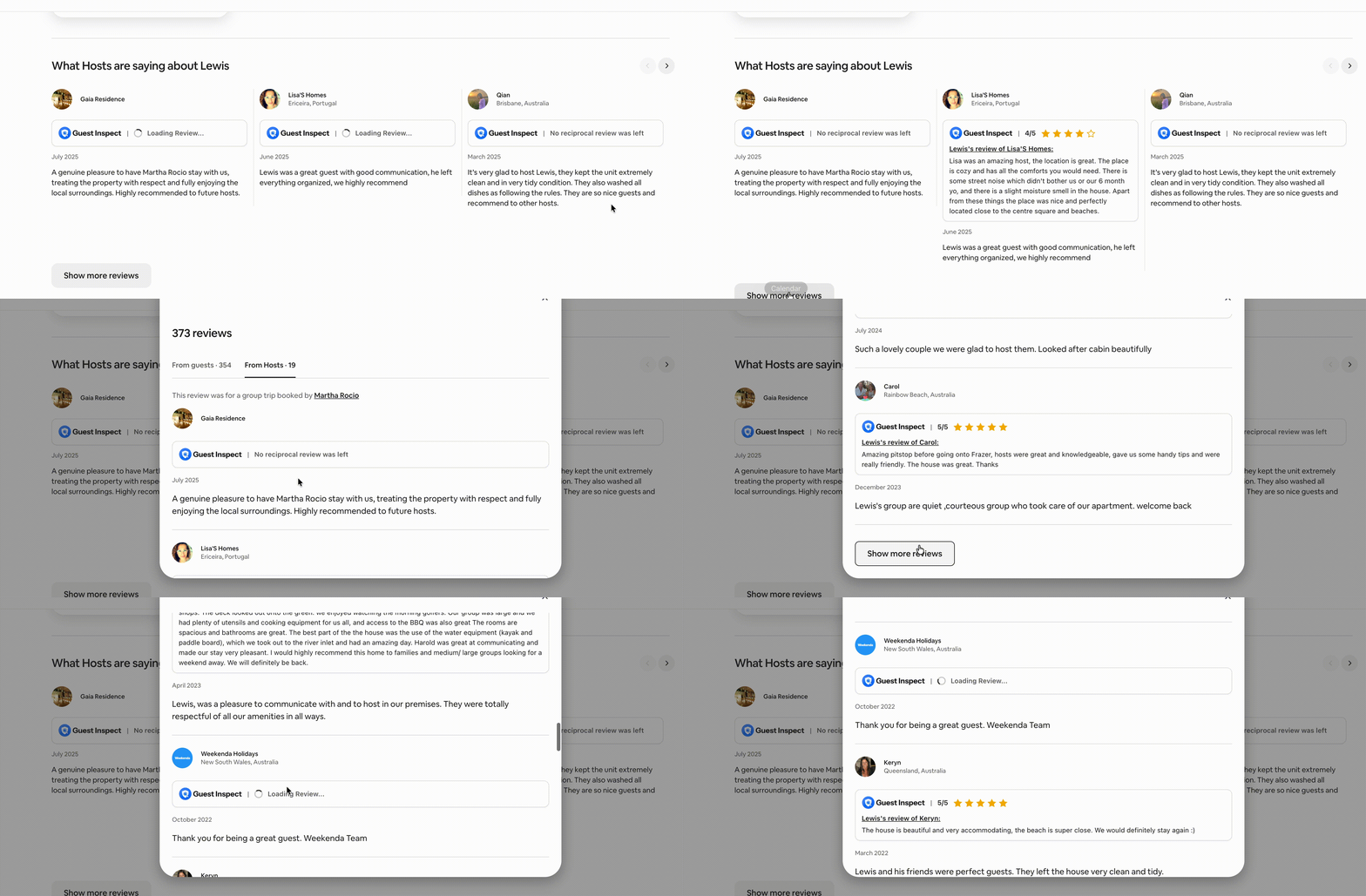
This refers to the reciprocal review feature in our Chrome Extension. If you have not installed it yet, please do so here.
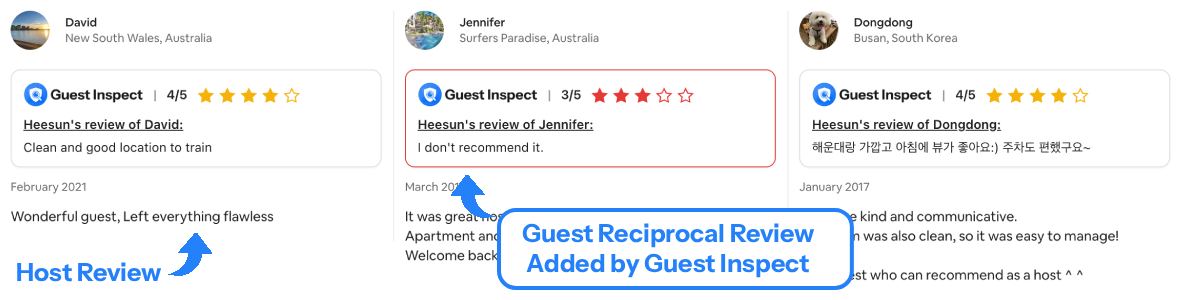
Step 1: Find the Guest Message or Reservation
Open up the AirBnB hosting dashboard and navigate to your messages with the guest you’re trying to view reciprocal reviews of. Just wanting to test? Try it on this guest profile. The messages page URL will look like this: https://www.airbnb.com/hosting/messages/1234567890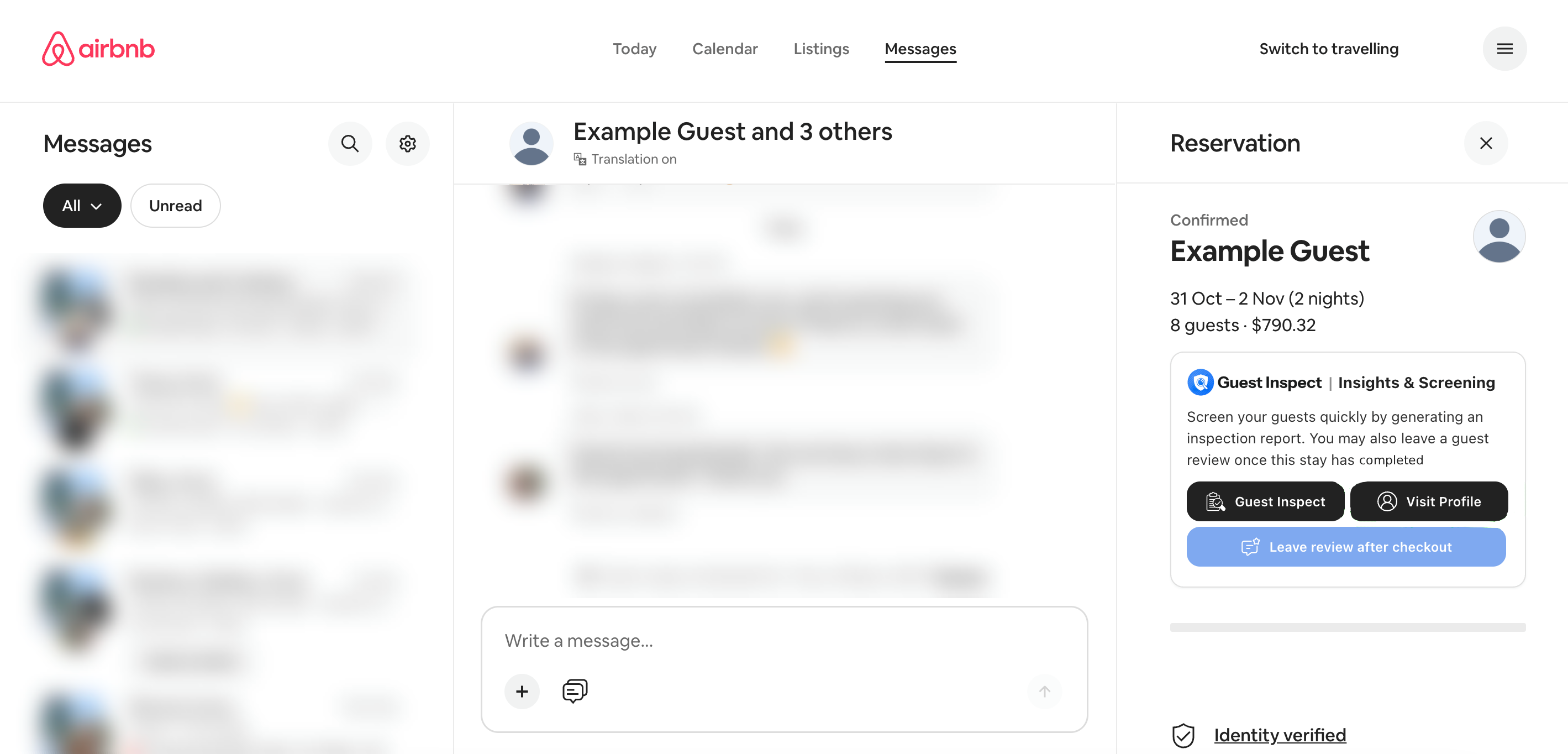
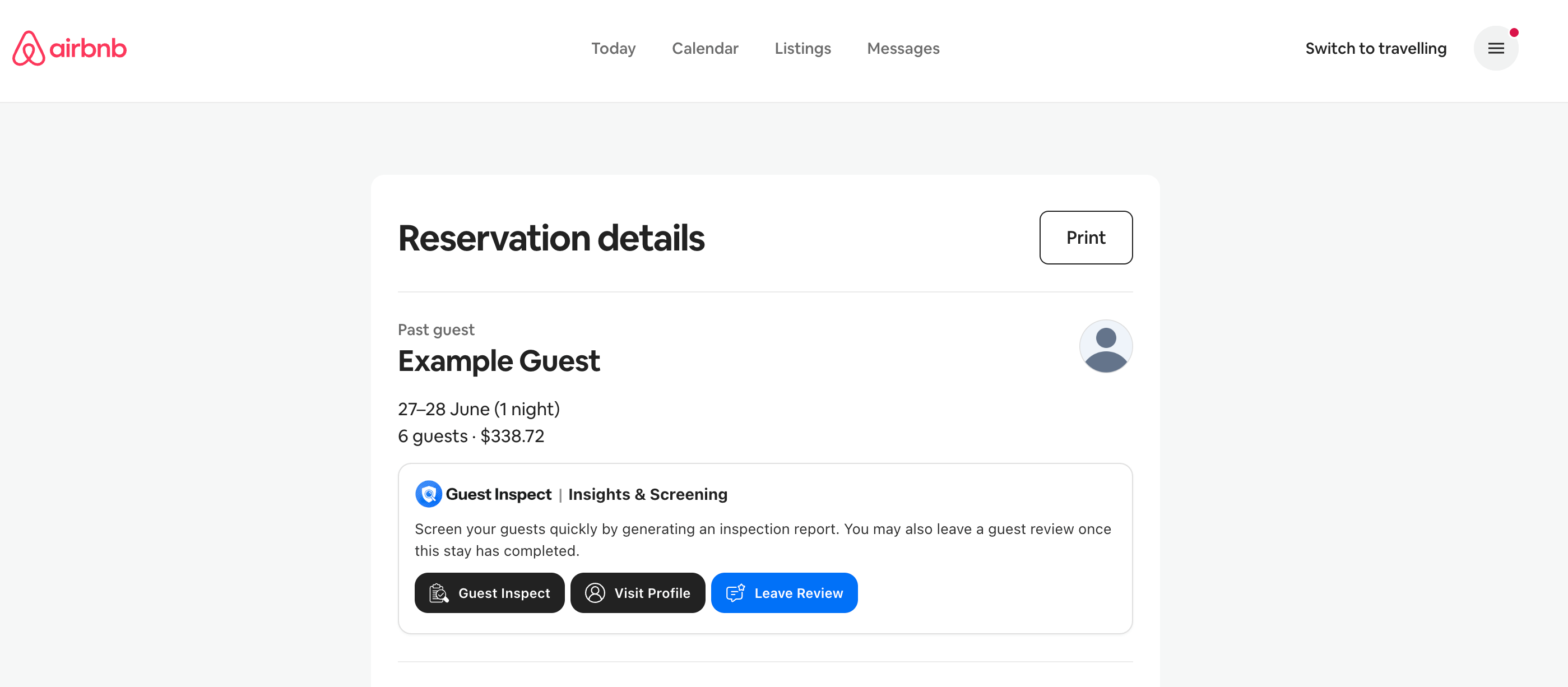
Step 2: Click the Visit Profile Button
Assuming you have correctly installed and logged into the Chrome extension, it will create an area on the page with a black Visit Profile button. This sometimes may take a few seconds to appear. Please refer to the images above which show the location for AirBnB.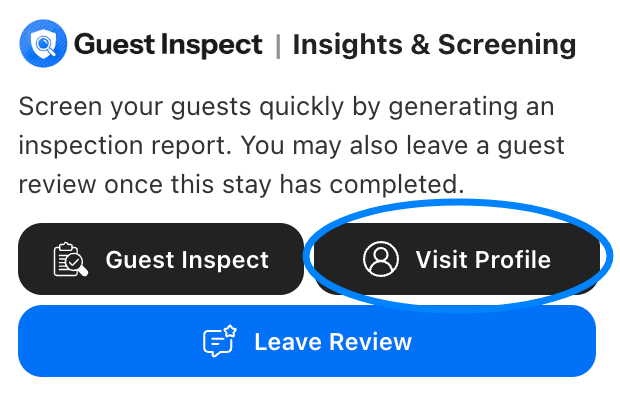
Step 3: View the Reciprocal Reviews
Assuming the guest has some prior reviews from other hosts, Guest Inspect will search each review for what the guest reciprocated with, and then update the page to show it below the host’s review. You can even click show more reviews and Guest Inspect will continue searching as more reviews are loaded on to the page!