> ## Documentation Index
> Fetch the complete documentation index at: https://docs.guestinspect.com/llms.txt
> Use this file to discover all available pages before exploring further.
# Quickstart
> Start vetting guests in minutes
### Step 1: Select your plan and Sign Up
Visit our [pricing page](https://guestinspect.com/pricing) and select either a monthly or annual plan. From there, click **Get Started** and you will be redirected to a registration page where you can register through Google or Email and complete your payment. All payments are processed securely through [Stripe](https://stripe.com/).
### Step 2: Install our Chrome Extension
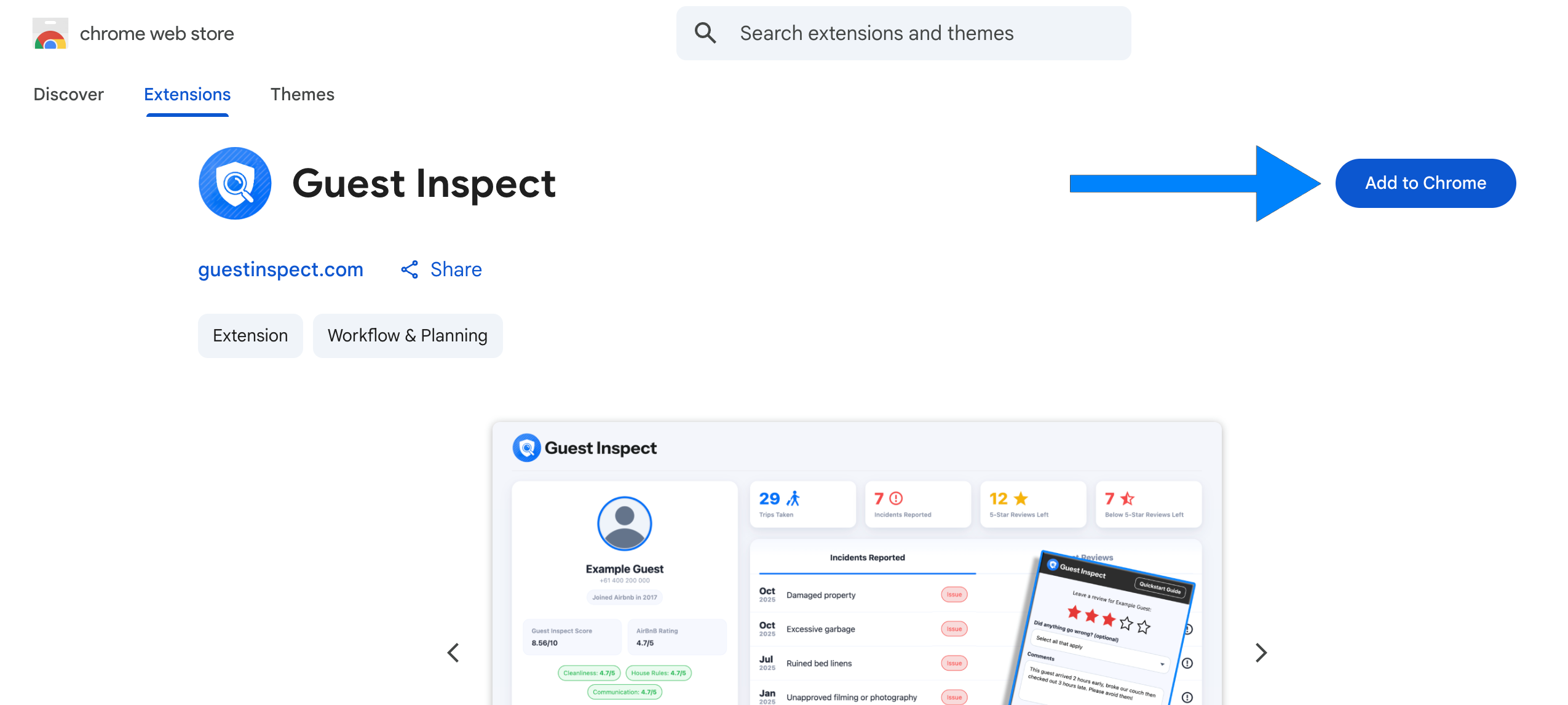
Open your Google Chrome browser and visit our [chrome extension](https://chromewebstore.google.com/detail/diipaemgmlhiibkmkcepdaekbfhbheib) in the web store. Click the blue **Add to Chrome** button on the right side of the page to install the extension.
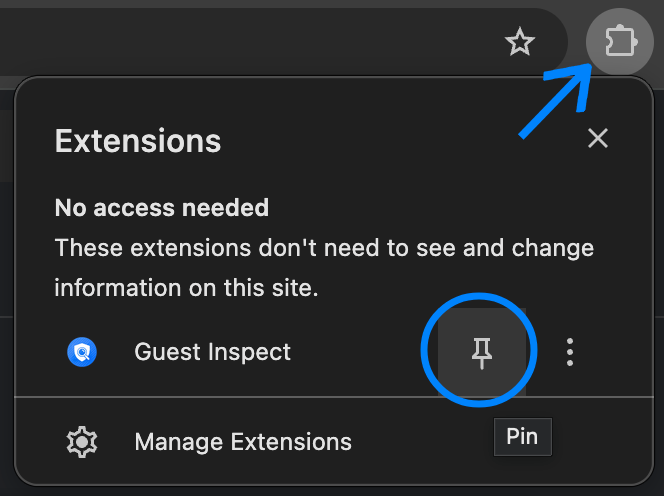
 Now that you've installed the extension, click the jigsaw piece to the right of the URL bar then click the pin button next to Guest Inspect.
 ### Step 3: Login to the extension
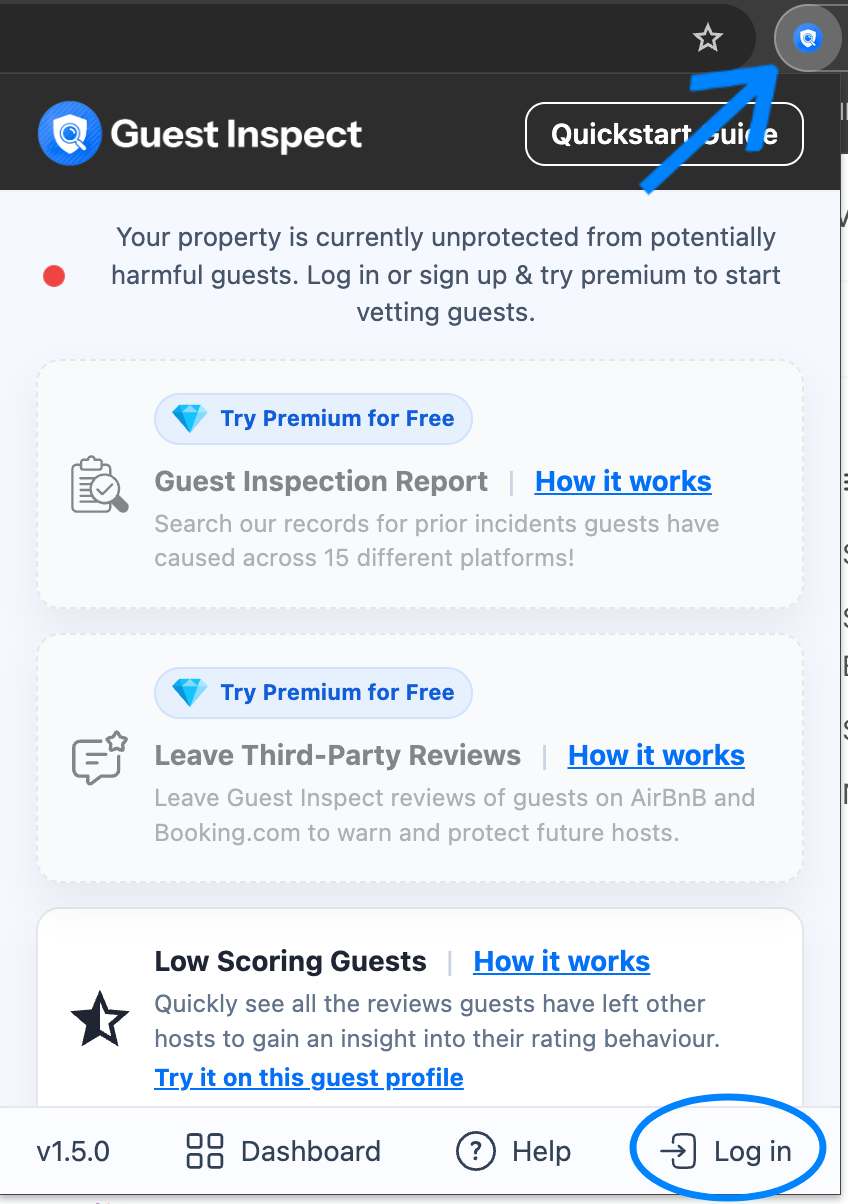
Open the Guest Inspect extension by clicking the icon which should now show to the right of your URL bar. Now click **Log in** in the bottom right and enter in the account details you used to sign up in step 1.
### Step 3: Login to the extension
Open the Guest Inspect extension by clicking the icon which should now show to the right of your URL bar. Now click **Log in** in the bottom right and enter in the account details you used to sign up in step 1.
 Congrats, you're now all set up to start vetting guests 🥳
## Next steps
Now that you have everything set up, explore these key features:
Start vetting guests by checking for prior incidents across 15 different platforms!
Submit a Guest Inspect review on AirBnB or Booking.com to protect future hosts.
Guest Inspect can show you exactly how a guest has reviewed previous hosts to avoid low scorers!
View and manage all your Guest Inspect reviews directly from our handy dashboard.
Congrats, you're now all set up to start vetting guests 🥳
## Next steps
Now that you have everything set up, explore these key features:
Start vetting guests by checking for prior incidents across 15 different platforms!
Submit a Guest Inspect review on AirBnB or Booking.com to protect future hosts.
Guest Inspect can show you exactly how a guest has reviewed previous hosts to avoid low scorers!
View and manage all your Guest Inspect reviews directly from our handy dashboard.